How the scanner works
Shellf’s barcode scanner reads the ISBN barcode on the back of a physical book and adds the book to your library instantly. You can access the scanner from the Home or Library screen — the icon is in the top right. It’s available on the free tier and there is no limit to the number of books you can scan.
The walkthrough
- 1.From the Home or Library screen, tap the scanner icon in the top right (a square viewfinder shape).
- 2.Point the camera at the ISBN barcode on the back of the book. You don’t need to tap anything — the scanner picks up the barcode automatically when it has a clean read.
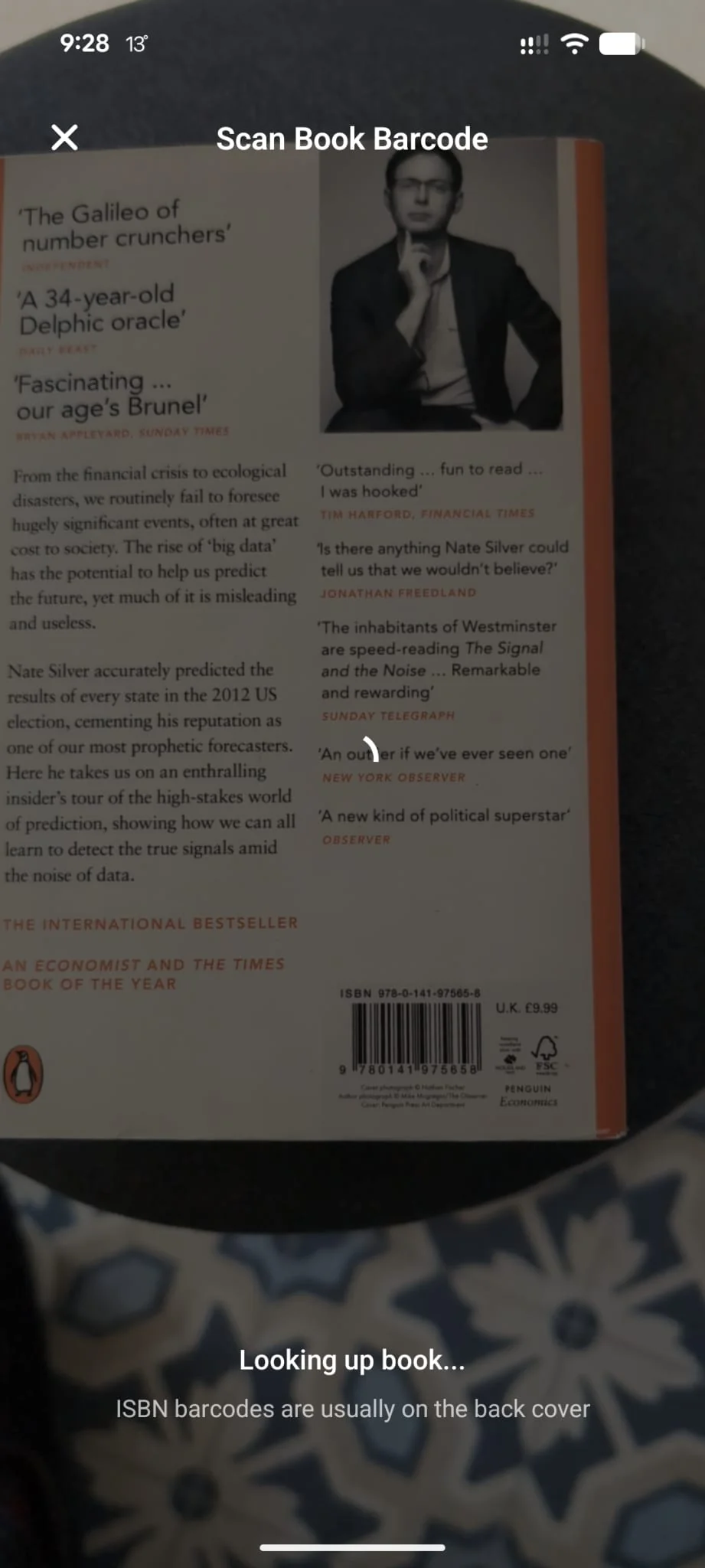
The scanner view. Point at the barcode and Shellf picks it up automatically. - 3.Shellf looks the title up in Open Library and Google Books and shows a match card with the book’s cover, title, and author.
- 4.Pick a shelf in one tap: Want to Read, Start Reading, or Already Read. The scanner returns so you can chain a few books in a row when you’re cataloguing a shelf.
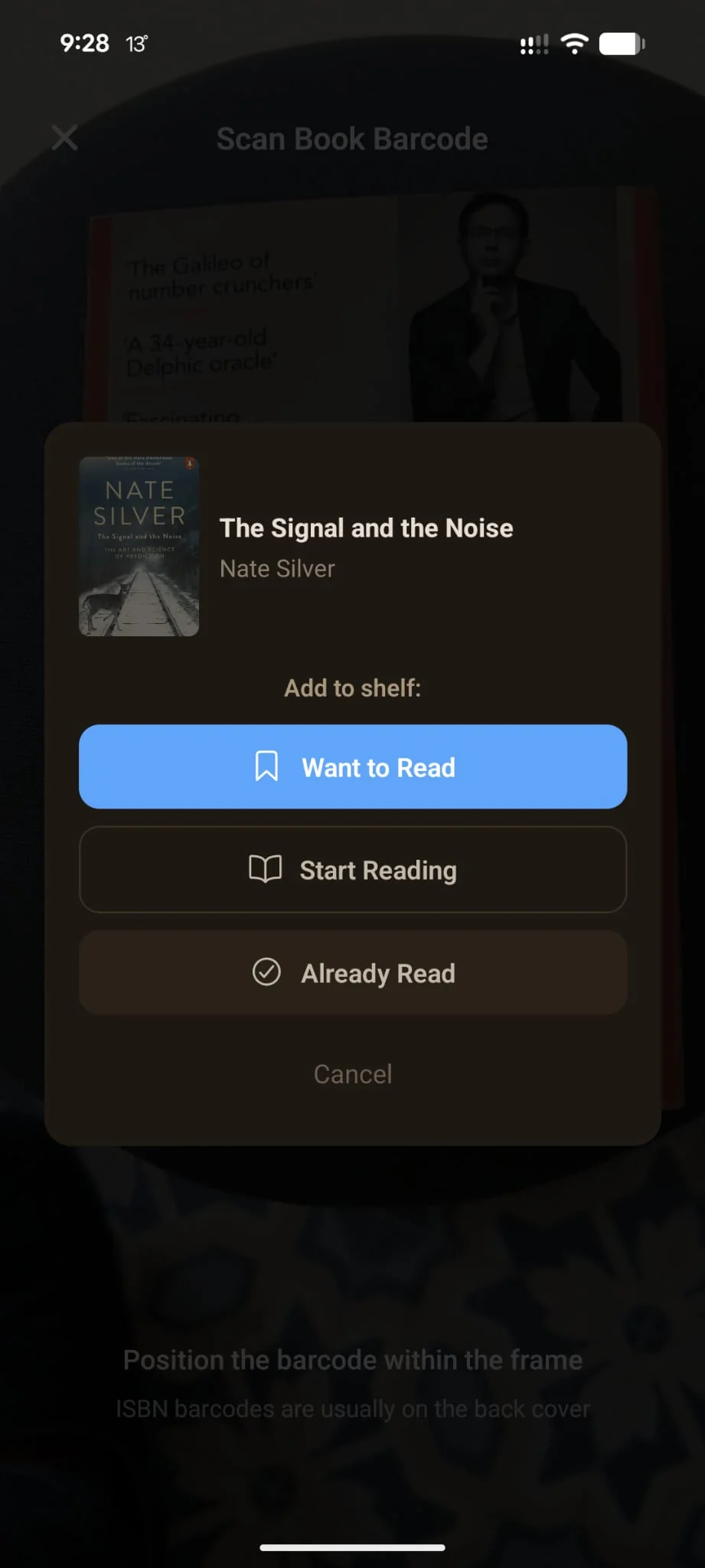
The match card after a successful scan. Three one-tap shelf options instead of menu drilling.
What the scanner reads
The scanner reads both ISBN-10 and ISBN-13 (the modern 13-digit barcodes you’ll see on most books published since 2007). Either format gets normalised against the catalogue, so the edition you scan and the edition you end up with should match.
- Multiple editions
- If the scanned ISBN maps to a specific edition (e.g. UK paperback) but you’d rather track the canonical work, Shellf groups editions under a single “work” record so your library stays clean. The edition you scanned is still recorded if you want to reference it later.
- Books without barcodes
- Older paperbacks, self-published titles, and some hardback dust-jackets sometimes don’t have a scannable ISBN barcode. For those, you can search for the book manually in the Discover screen.
- Rough light, glossy covers
- The scanner needs a reasonably clean read; tilting the book away from overhead lighting usually does it. If the camera keeps refusing the barcode, manual entry is faster than fighting the lighting.
Platform availability
The scanner uses the device camera, so it’s a mobile-only feature. Available on Android today via the Google Play Store. When iOS launches May 2026, barcode scanning will be at parity from day one. There’s no web equivalent and there’s unlikely to be one — if you’re on web, title or ISBN search is the right path.
Ready to try it? Install Shellf on Android. iOS launches mid-2026.